New York is saturated with signal. The three US giants - T-Mobile, AT&T and Verizon - all run dense 5G across the five boroughs, and your eSIM rides one of these networks as its host: street level from Battery Park to Harlem is fast, reliable data. The catch in New York is never coverage. It is two local quirks: what happens underground, and what happens when a million people share the same block.
Every underground subway station has been wired for cellular service and free Wi-Fi for years, so you can check countdown clocks, reroute, and message from any platform. The tunnels between stations are a different story - most stretches still go dark mid-ride, though the MTA has been gradually extending service into them. The practical habit: load your route on the platform, then treat the moving train as offline. Above-ground lines in Brooklyn, Queens and the Bronx have normal coverage throughout.
Times Square, Rockefeller Center, the High Line on a Saturday - these are some of the densest concentrations of phones on earth, and at peak times data can crawl even with full bars. That is congestion, not coverage, and it hits every network; step a block off the main drag and it usually clears. Elsewhere - the Village, Brooklyn, museums, parks - you will rarely notice.
- OMNY is how you pay for the subway and buses: tap a contactless bank card or your phone wallet at the turnstile. Visitors need nothing else - the old MetroCard is being phased out, and automatic fare capping means that once you have paid for enough rides in a rolling week, further rides are free.
- CityMapper is the transit app New Yorkers actually swear by for the subway's express-vs-local logic; the MTA's own app covers official alerts. Weekend track work makes live rerouting genuinely essential.
- Uber and Lyft both operate everywhere; yellow cabs can still be hailed with an arm, or booked through the Curb app.
- Tap-to-pay is near-universal - phone or card works from delis to food trucks, so there is no cash errand on arrival.
From JFK, the AirTrain connects to the subway (A, E, J, Z) and the much faster LIRR at Jamaica, with the exit fare payable by tap. From Newark (EWR) - in New Jersey, where your eSIM works identically - the airport AirTrain plus NJ Transit reaches Penn Station, with tickets bought in the NJ Transit app. LaGuardia has no rail link; the Q70 Link bus to the subway at Jackson Heights is currently fare-free, or a rideshare is the simple option. All three arrivals are exactly when the "just landed" messages and first map searches hit, so install the eSIM before you fly rather than gambling on airport Wi-Fi.
A New York trip is maps-heavy (the grid helps, the subway logic does not), photo- and video-heavy, and rideshare-dependent late at night. For most travelers 1GB per 2-3 days covers navigation, messaging and social posting; budget more if you upload video from every rooftop or take long video calls. Plans covering the whole United States work identically if you continue to other cities, and the best eSIM for the USA guide compares the options in detail.
All black blends in anywhere, but the real dress code is footwear: New York days routinely hit 15,000 steps, so bring shoes you have actually broken in. Winter demands a proper coat - the wind funneling down the avenues is meaner than the thermometer suggests. In summer, dress for the subway platforms, not the forecast: the stations are saunas even though the trains themselves are icy with air conditioning. A layer you can shed and re-add is the year-round move.
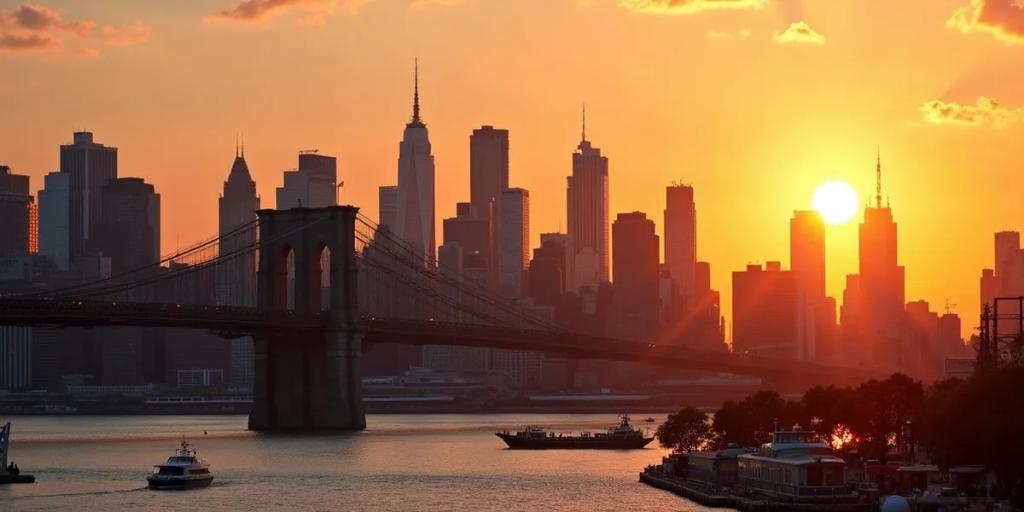
Walk the Brooklyn Bridge at sunrise, Manhattan-bound - the skyline is in front of you the whole way and the boardwalk is nearly empty before 8am; by midday it is a conveyor belt. In DUMBO, the shot is from Washington Street between Front and Water: the Manhattan Bridge fills the frame at the end of the block. For the skyline itself, Top of the Rock beats the Empire State Building for one simple reason - the Empire State is in your photo instead of under your feet. Inside Grand Central, shoot the main concourse from the west balcony. Note that flying a drone is effectively banned in NYC without a city permit.
Queens is often called the most linguistically diverse place on Earth - researchers estimate as many as 800 languages are spoken across New York City, a huge share of them there. The subway has run 24 hours a day essentially since it opened in 1904, one of very few systems on the planet that never fully sleeps. And Central Park is bigger than the entire country of Monaco.
The Macy's Thanksgiving Day Parade floats down Manhattan on Thanksgiving morning in late November, and Times Square's New Year's Eve ball drop follows a month later. The US Open takes over Flushing Meadows in Queens from late August into early September, the NYC Marathon crosses all five boroughs on the first Sunday of November, and Pride fills lower Manhattan in late June.
The love is real: an energy no other city quite matches, food from every country on Earth available at 3am, and a walkable grid plus 24-hour subway that make a car pointless. The complaints are just as real: everything is expensive, from the $4 bodega coffee up. Trash bags still pile on sidewalks on collection nights and yes, you may meet a rat. Parts of the subway are grimy, and the tipping culture - 20 percent expected, tip screens at every counter - is a genuine shock for visitors. Most people leave exhausted and already planning a return.
On platforms and in stations, yes - every underground station has cellular service and free Wi-Fi. Between stations most tunnels still have no signal, so anything you need mid-ride (directions, a ticket QR, an article) should be loaded before the doors close.
Yes. OMNY readers at every turnstile and bus accept contactless bank cards, Apple Pay and Google Pay directly - no local card or app required. Keep taps on the same card or device and fare capping applies automatically, so a heavy sightseeing week stops charging you after enough rides.
New York has more free Wi-Fi than most cities - LinkNYC sidewalk kiosks plus every subway station - but it is hotspot-shaped: brilliant where you are standing, gone once you walk. Navigation, rideshare pickups and on-the-move messaging are exactly the gaps, which is why a data plan remains the sane baseline.