Skip to content

eSIM Los Angeles - Labākais priekšapmaksas datu plāns

Pērciet eSIM Los Angeles, Amerikas Savienotās Valstis. Tūlītēja QR koda piegāde, 4G/5G ātrumi, bez viesabonēšanas maksām. Darbojas ar iPhone, Samsung un Pixel.

Palieciet pieslēgti Los Angeles ar uzticamu mobilo internetu. Izmantojiet WhatsApp, Google Maps, Uber un visas savas iecienītākās lietotnes.

eSIM Los Angeles - Pērciet priekšapmaksas ceļojuma datus Los Angeles, Amerikas Savienotās Valstis
Los Angeles, Amerikas Savienotās Valstis - Palieciet pieslēgti ar eSIMpass priekšapmaksas datu plāniem

Ātra iestatīšana

Bez viesabonēšanas

4G/5G ātrums

Refund Policy

Data only — no phone number, no calls, no SMS Your own number stays active on your existing SIM (dual SIM), and you can call and message through WhatsApp, FaceTime and similar apps.

Izvēlieties savu neierobežoto plānu

1 diena

Cik ceļotāju?

Networks
  • AT&T4G/5G
  • T-Mobile4G/5G
Neierobežoti dati - 1 diena3,45 $
3,45 $/dienā
Datu plāni · Neierobežoti dati

Datu plāni

  • 3GB - 15 dienas4,79 $
  • 5GB - 30 dienas7,18 $
  • 10GB - 30 dienas12,93 $
  • 20GB - 30 dienas23,27 $
  • 50GB - 30 dienas52,37 $

Neierobežoti dati

  • Neierobežoti dati - 1 diena3,45 $
  • Neierobežoti dati - 2 dienas6,91 $
  • Neierobežoti dati - 3 dienas10,36 $
  • Neierobežoti dati - 4 dienas13,58 $
  • Neierobežoti dati - 5 dienas17,23 $
  • Neierobežoti dati - 6 dienas20,87 $
  • Neierobežoti dati - 7 dienas24,52 $
  • Neierobežoti dati - 8 dienas26,34 $
  • Neierobežoti dati - 9 dienas29,08 $
  • Neierobežoti dati - 10 dienas30,90 $
  • Neierobežoti dati - 11 dienas33,64 $
  • Neierobežoti dati - 12 dienas36,37 $
  • Neierobežoti dati - 13 dienas38,19 $
  • Neierobežoti dati - 14 dienas40,02 $
  • Neierobežoti dati - 15 dienas42,75 $
  • Neierobežoti dati - 16 dienas44,57 $
  • Neierobežoti dati - 17 dienas45,48 $
  • Neierobežoti dati - 18 dienas47,31 $
  • Neierobežoti dati - 19 dienas50,04 $
  • Neierobežoti dati - 20 dienas51,87 $
  • Neierobežoti dati - 21 dienas53,69 $
  • Neierobežoti dati - 22 dienas54,60 $
  • Neierobežoti dati - 23 dienas55,51 $
  • Neierobežoti dati - 24 dienas56,42 $
  • Neierobežoti dati - 25 dienas57,33 $
  • Neierobežoti dati - 26 dienas58,25 $
  • Neierobežoti dati - 27 dienas59,16 $
  • Neierobežoti dati - 28 dienas60,07 $
  • Neierobežoti dati - 29 dienas60,98 $
  • Neierobežoti dati - 30 dienas62,80 $

Amerikas Savienotās Valstis eSIM tehniskās specifikācijas

Tīkla ātrums
4G LTE / 5G
Aktivizēšana
QR kods e-pastā
Calls & SMS
Not included

You do not get a new phone number with this eSIM.

Biežāk uzdotie jautājumi par Amerikas Savienotās Valstis eSIM

Vai kopā ar eSIM es saņemu tālruņa numuru?
Nē. Mūsu eSIM ir paredzētas tikai datiem, tāpēc tām nav tālruņa numura. Jūs tās izmantojat piekļuvei internetam: kartēm, WhatsApp, e-pastam, sociālajiem tīkliem, straumēšanai un jebkurai citai lietotnei. Jūsu esošā SIM karte saglabā jūsu tālruņa numuru aktīvu.
Vai varu zvanīt, saņemt zvanus un sūtīt vai saņemt īsziņas (SMS)?
Parastie zvani un SMS nav pieejami, jo eSIM nodrošina tikai mobilos datus. Jūs varat zvanīt un sūtīt ziņas, cik vien vēlaties, izmantojot interneta lietotnes, piemēram, WhatsApp, FaceTime, Telegram, Signal vai Messenger, kas darbojas ar eSIM datiem. Parastie zvani un SMS turpina darboties jūsu ierastajā numurā ar jūsu mājas operatora starpniecību, kamēr vien jūs saglabājat šo SIM karti aktīvu.
Cik daudz datu man vajag Amerikas Savienotās Valstis?
Tas ir atkarīgs no izvēlētā plāna. No gandrīz 3 000 mūsu klientu beigušajām eSIM tipiskā izmantoja no pusei līdz divām trešdaļām sava plāna, bet mazākajos plānos (1-5 GB) aptuveni katra trešā to izlietoja pilnībā. Kartes un ziņapmaiņa patērē maz; visvairāk patērē video, videozvani un savienojuma koplietošana. Ja šaubāties, ņemiet nākamo lielāko plānu. Ja dati tomēr beidzas, jebkurā brīdī varat iegādāties vēl vienu eSIM – tās instalēšanai būs nepieciešams WiFi.
Kādu tīkla ātrumu es saņemšu Amerikas Savienotās Valstis?
Jūsu Amerikas Savienotās Valstis eSIM izmanto vietējo mobilo tīklu: 4G un, kur tīkls to piedāvā, arī 5G. Ātrums ir atkarīgs no pārklājuma un jūsu atrašanās vietas.
Vai varu izmantot eSIM kā piekļuves punktu/dalīšanos?
Jā, bet tikai datu plāniem ar fiksētu datu apjomu. Neierobežotie plāni neatbalsta tīklāju vai savienojuma koplietošanu.
Kad man vajadzētu uzstādīt Amerikas Savienotās Valstis eSIM?
Instalējiet savu eSIM, kamēr mājās vēl ir WiFi - abu veidu plānus ir droši instalēt vairākas dienas iepriekš. Uz GB balstītie plāni sākas tikai tad, kad eSIM pirmo reizi pieslēdzas tīklam valstī Amerikas Savienotās Valstis. Neierobežotie plāni darbojas pēc ceļojuma datumiem, ko izvēlaties pirkuma noformēšanas brīdī, un dienas tiek skaitītas no izvēlētā sākuma datuma neatkarīgi no tā, vai eSIM ir instalēta - tāpēc parūpējieties, lai līdz tam datumam tā būtu jūsu tālrunī.

Setting up your eSIM? The installation and activation guide walks through it step by step, and the full FAQ covers device compatibility, hotspot, dual SIM and topping up.

Staying connected in Los Angeles: the local guide

Los Angeles freeway interchange at dusk with the downtown skyline and palm trees

Emergency numbers

  • 911 - all emergencies (police, fire, medical)

Time zone

PST (UTC-8); PDT (UTC-7) from mid-March to early November

Weather

Mediterranean: dry and warm most of the year (22-28C), morning 'June gloom' cloud in early summer, rare rain Dec-Feb; the coast runs cool while the Valley and canyons run hot

Los Angeles is a car city, and that changes what "staying connected" means: your phone is not a convenience here, it is the co-pilot. The big US networks blanket the LA basin - Downtown, Hollywood, Santa Monica, the Valley, and the freeway grid in between get solid 4G and fast 5G - and this eSIM uses AT&T or T-Mobile, on 4G/5G. The USA network comparison for tourists covers how the carriers differ, but inside the city proper you will rarely notice.

Where the signal actually dies

The honest map of LA dead zones follows the terrain, not the neighborhoods. Malibu's canyon roads (Topanga, Malibu Canyon, Kanan) drop to nothing between the ridgelines, and the Angeles National Forest - including the Angeles Crest Highway that every scenic-drive list recommends - is famously signal-free for long stretches. Download offline maps before either drive. Closer in, the popular Runyon Canyon hike is fine (you are ringed by city on three sides), and Griffith Park is mostly workable with brief dips in the deeper canyons. LA Metro's underground B and D subway lines have patchy in-tunnel coverage that is improving line by line - load anything you need before descending.

The apps that need data here

  • Navigation is the trip. Waze was practically built for LA traffic and locals live by it; Google Maps' live traffic rerouting matters more here than in any walking city. An hour of active navigation only uses a handful of megabytes - the point is that you need it running all day, every day.
  • Parking runs on your phone. LA's street meters use ParkMobile, and many lots are pay-by-plate via QR code - both need a connection right when you have parked in a hurry.
  • Uber and Lyft are everywhere, and LA is one of the few cities where you can also hail a Waymo driverless car through its app across a large slice of the city, Santa Monica to Downtown.
  • Theme-park days are all-day data days. The Disneyland app (Anaheim, about an hour out) handles virtual queues, Lightning Lane bookings, and mobile food ordering - miss a return-window push notification because you were offline and you miss the ride. Universal Studios Hollywood's app works the same way. Bring a power bank: a park day drains battery faster than data.

Arriving at LAX

Rideshare and taxi pickups happen at the LAX-it lot rather than the curb, reached by a short walk or free shuttle - you will want data live to drop the pin and track your driver. The FlyAway bus runs to Union Station, and the LAX/Metro Transit Center now links the C and K light-rail lines to the terminals by shuttle. Metro uses the TAP system; add a TAP card to your phone's wallet rather than expecting to tap a bank card at the gate like New York.

How much data do you need in LA?

More than a typical city break. All-day navigation is cheap on data, but park apps, rideshare, parking payments, and the passenger-seat scrolling that LA traffic guarantees add up - budget roughly 1GB per 2 days, and take extra headroom if a Disneyland or Universal day is planned. Heading up the coast afterwards? The West Coast road-trip guide covers coverage beyond the city, and the USA eSIM overview compares plan sizes.

What to wear

Layers are the whole trick. The beach can sit under cool marine-layer cloud at 19C while the Valley hits 33C the same afternoon, and evenings turn chilly even after hot days - carry a light jacket year-round. Athleisure genuinely is the dress code: sneakers and leggings pass almost everywhere, including most restaurants. Pack one sharper outfit for reservation-grade dinners or a show, and real walking shoes for theme-park days. An umbrella only earns its suitcase space December to February.

The photos everyone wants (and how to get yours)

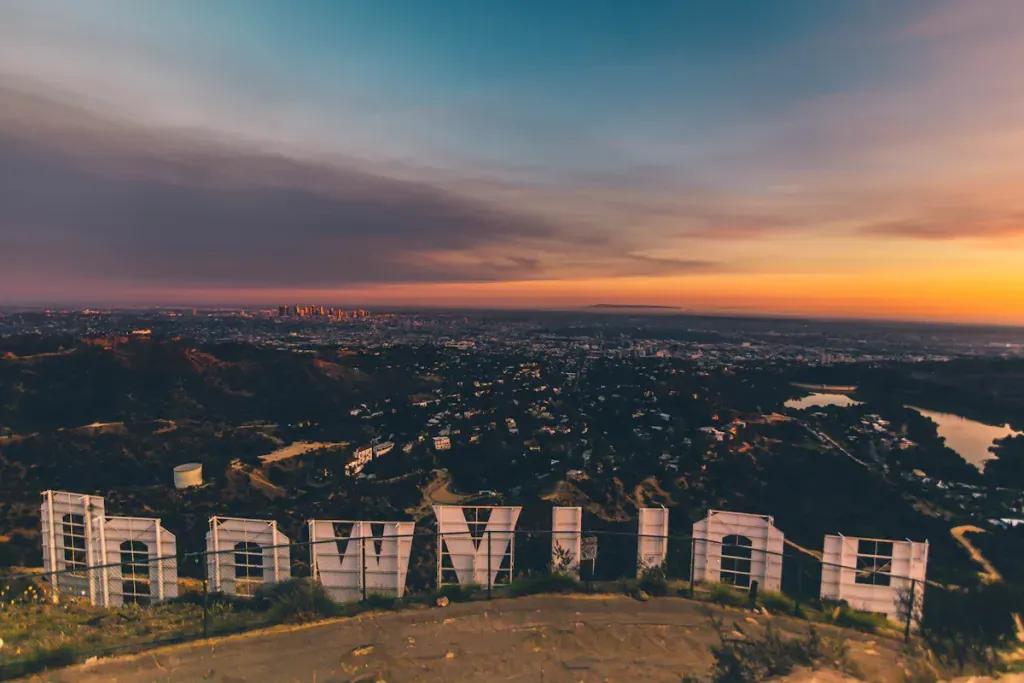
Griffith Observatory at sunset is the two-for-one: the Hollywood sign on one side, the skyline lighting up on the other - arrive an hour early, parking is the real fight. Know that there is no legal trail to a close-up of the sign itself; the classic angles are from Griffith or from Lake Hollywood Park below it, and drones are banned in Griffith Park. The Venice sign photographs best at dusk when it lights up, the Santa Monica pier ferris wheel glows for blue-hour shots from the sand, and LACMA's Urban Light lamp forest is emptiest early in the morning.

Fun facts

The city's original 1781 Spanish name - usually given as El Pueblo de Nuestra Señora la Reina de los Ángeles, and often quoted in even longer forms - ran to roughly 60 characters, though historians still argue over the exact wording. The Hollywood sign went up in 1923 reading "Hollywoodland", an ad for a real-estate development; the "land" was only dropped in 1949. And Los Angeles County alone, at nearly 10 million people, has more residents than 40 US states.

Big events

Awards season peaks with the Oscars at the Dolby Theatre in Hollywood in March, closing streets around Hollywood Boulevard for days. The LA Marathon also runs in March, from Dodger Stadium to Century City. The Rose Parade fills Pasadena every January 1 (January 2 when New Year's falls on a Sunday, by long tradition). And a word of honesty about Coachella: the April festival is in Indio, well over two hours from LA even without traffic - it is not an LA day trip.

Why people love it - and why some don't

The love is real: weather that behaves nearly year-round, ocean and mountains in the same day, and a food scene that runs from legendary taco trucks to some of the best fine dining in the US. So are the gripes: traffic is a lifestyle rather than an inconvenience, and the sprawl kills spontaneity - a "quick" cross-town detour is routinely 45 minutes each way. Homelessness is starkly visible, especially Downtown, and parking is rarely free and often not cheap. Plan LA in zones, one area per day, and the ledger tilts heavily toward love.

FAQ: Los Angeles connectivity

Do I really need data all day at Disneyland or Universal?

Yes. Virtual queues, Lightning Lane return times, and mobile food ordering all live in the park apps and update in real time - screenshots do not cut it. Plan for the app being open on and off for eight-plus hours, and pack a power bank, because battery is the real constraint.

Will I have signal driving the canyons or Angeles Crest?

Assume no. Malibu's canyon roads and the Angeles National Forest have long zero-signal stretches on every carrier, so download offline maps and tell someone your route before scenic drives. Signal returns quickly once you are back on the coast highway or the freeway grid.

Can I get around LA without a car?

Partly. Metro rail genuinely works for Downtown, Hollywood, and Santa Monica via the E line, but the city's scale means most itineraries lean on Uber, Lyft, or Waymo to fill the gaps - all of which need live data. Install your eSIM before you fly so it is working the moment you exit the terminal toward the LAX-it lot.
Verified buyer reviews

4.3 · 3 reviews

Patiesas atsauksmes no patiesiem ceļotājiem

“I had uninterrupted and consistent quick data service throughout our vacation in Colombia.”

Tamara J WaldronFeb 2026

“I travelled to Japan in October. The connection was great, even in countryside near Mt. Fuji.”

João Miguel TorradoFeb 2026

“I've finally found a great roaming for a fair price. The internet was stable and good enough.”

AudreyFeb 2026

“QR code arrived and I was able to scan and install it in less than 2 minutes. Consistent 4G/5G speeds.”

Nuno CristóvãoFeb 2026

“Landed in Morocco and had internet before the mint tea got poured. Smooth as argan oil.”

Jan WinterFeb 2026

“Easy to use. Convenient. Works perfectly here in Singapore.”

NunoFeb 2026

“I used it when I was travelling, the connection was great.”

Martin GeorgeFeb 2026

“It worked as expected.”

Nuno CordeiroFeb 2026