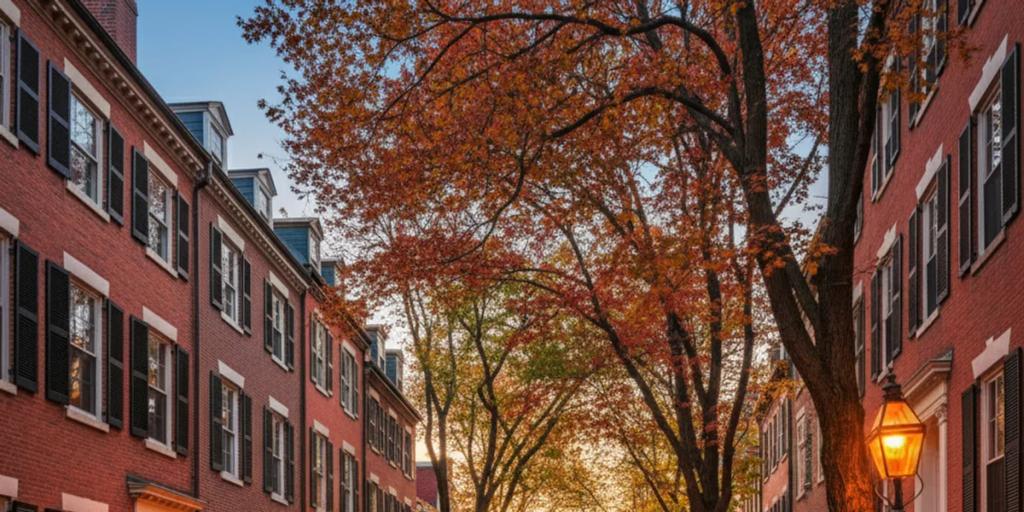
Boston is an easy city to stay online in. All three US networks - Verizon, AT&T and T-Mobile - run dense 4G and 5G across the metro, and this eSIM uses AT&T or T-Mobile, on 4G/5G. In practice that means fast data everywhere a visitor goes: downtown, the Back Bay, Cambridge across the river, the harborwalk, even out to the Kennedy Library on the water. Boston is compact and stubbornly walkable, and its street plan famously ignores the concept of a grid - which is exactly why your maps app will work harder here than in almost any other American city.
Boston's quirk is the T. The MBTA wired its subway for cell service years ago - the underground network covers around 40 stations and more than 21 miles of tunnel, including the underwater sections - so unlike many US systems you will usually have bars on the platform. The honest caveat: coverage on a moving train between deep downtown stations can still stutter, especially in the oldest tunnels (some date to 1897), so load your route before you tap in. One pleasant surprise: the Red Line crosses the Charles River above ground on the Longfellow Bridge between Charles/MGH and Kendall, with full signal and the best free skyline view in the city. The harbor crossing to East Boston and the airport is the Blue Line's tunnel, and even there you are mostly covered.
- MBTA Go is the T's official app (launched late 2024) for live arrivals, vehicle tracking and disruption alerts; many locals also swear by Transit. Either one needs data constantly, because Boston service changes are a fact of life.
- Tap-to-pay works on the T: since August 2024 you can tap a contactless card, phone or watch directly at subway fare gates, on buses and on Green Line trolleys - no CharlieCard errand required. Commuter rail and ferries were slated to follow in 2026, so check before relying on it there.
- Bluebikes is the metro bike share (Boston, Cambridge, Somerville and beyond) and it is entirely app-driven - unlock, ride, dock.
- Uber and Lyft both operate widely; downtown pickup zones can be specific (Logan has designated ride app areas), and the app is how you find them.
- Maps, all day: downtown Boston's streets are colonial cow paths with Wi-Fi, and even locals navigate the North End by phone. Budget for it.
Logan Airport sits absurdly close to downtown. The Silver Line SL1 bus runs from every terminal to South Station and has long been fare-free in the leaving-the-airport direction, or take the free Massport shuttle to Airport station and ride the Blue Line in. Both take contactless tap. A taxi or ride app crosses the harbor in 10-20 minutes outside rush hour. Whichever you choose, the ride in is when the "just landed" messages, hotel directions and first map searches hit your plan - installing the eSIM before you fly beats fighting airport Wi-Fi with a suitcase in hand.
A Boston trip is heavy on maps (those streets), moderate on transit apps, and heavy on photos once the foliage or Fenway shows up. For most travelers 1GB per 2-3 days covers navigation, messaging and social posting; add headroom for video calls home or if you are streaming the Sox on the go. Top-ups are a dashboard tap away if the trip outruns the estimate. If you want the network-level detail, our USA eSIM guide covers coverage and plan choices, and the T-Mobile vs Verizon vs AT&T comparison breaks down how the host networks differ.
Layers, always - the wind off the harbor can drop the felt temperature ten degrees between the Common and the waterfront. Summer is genuinely hot and humid but restaurants over-air-condition. In winter, bring actual waterproof boots: the enemy is not the snow, it is the ankle-deep slush lake at every crosswalk. And if you have Fenway tickets, pack a warm layer even in June - evening games by the water get cold fast.
Acorn Street in Beacon Hill - the cobblestone lane with gas lamps and window boxes - photographs best in early morning light, and going early also matters because people actually live there; keep voices down and stay off the doorsteps. At Fenway, the classic frame is from the Green Monster seats looking back across the park, or from Lansdowne Street with the light stanchions overhead before a night game. In the Public Garden, shoot the swan boats from the mini suspension bridge, and the bronze Make Way for Ducklings statues are a mandatory crouch-level shot. In Harvard Yard, everyone rubs the John Harvard statue's shiny toe - locals will happily tell you why you might not want to. Come fall, the Charles River Esplanade delivers foliage with a skyline behind it, best in the hour before sunset.
America's first subway opened here in 1897 - the Tremont Street tunnel still carries Green Line trolleys today. In 1919 a storage tank in the North End burst and sent a wave of molasses through the streets, killing 21 people; it sounds like a myth and is thoroughly documented. Fenway Park (1912) is the oldest active Major League ballpark. And Harvard, founded in 1636, is older than calculus - Newton and Leibniz got to that a few decades later.
The Boston Marathon runs on Patriots' Day, the third Monday of April, and the whole city turns out along the route. The Fourth of July means the Boston Pops Fireworks Spectacular on the Charles Esplanade, one of the biggest Independence Day events in the country. Head of the Charles, in late October, is the world's largest multi-day rowing regatta and coincides neatly with peak foliage. And the St. Patrick's Day parade in South Boston, held on or around March 17, is the city's rowdiest tradition.
The love is real: a walkable city where 400 years of history sits next to 50-odd colleges' worth of energy, world-class seafood, and an autumn that justifies the postcards. The gripes are real too. Boston drivers are notoriously aggressive - assume the turn signal is decorative and cross with care. The T has genuinely improved since its 2024 track overhaul eliminated systemwide slow zones, but weekend shuttle-bus diversions still happen, so check alerts before you plan around it. February is a slush-gray endurance test. And hotel prices rank among the highest in the US, especially around graduation season in May - book early or sleep in Quincy.
Mostly yes - the MBTA's underground cell network covers stations and most tunnel mileage, which puts it ahead of many US systems. Expect brief dropouts on moving trains between deep downtown stations, so load routes and tickets before descending. Above-ground stretches, including the Red Line's river crossing, have full signal.
Yes. Since August 2024, contactless cards, phones and watches tap directly at subway fare gates, on buses and on Green Line trolleys - no need to buy a CharlieCard. Commuter rail and ferry tap-to-pay were scheduled to follow in 2026, so for a Salem or Providence day trip, verify before boarding or buy in the app.
Almost certainly not. Restaurants, ride apps and attractions all work off apps and email, and a data eSIM keeps your home number alive for bank codes while you use WhatsApp or iMessage as usual. Install it before you land and you are online the moment the plane door opens at Logan.