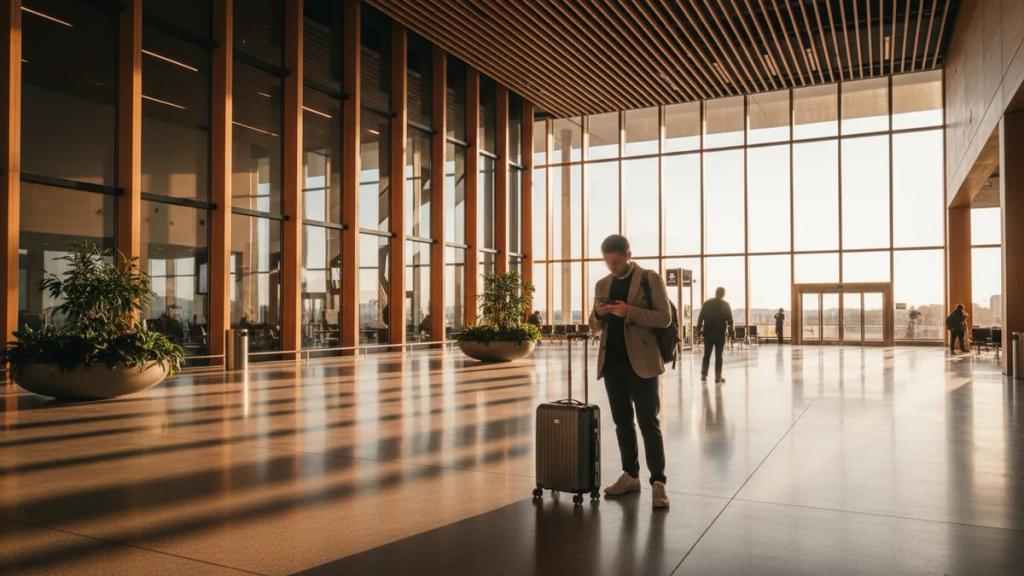
The fastest way to get online at LAX is a US eSIM you install before you fly, starting at €3.07 for 1GB/7 days. You scan a QR code at home, land at Los Angeles International, connect to a major US network the moment you switch off airplane mode, and walk straight past the SIM counters to your ride. No queue, no passport photocopy, no marked-up airport pricing.
This guide covers the honest trade-offs: what the airport SIM kiosks actually cost, how to use the free terminal Wi-Fi to install an eSIM if you arrive without one, and every realistic way to get from LAX into the city once you are connected.
Your Options for Getting Online at LAX
There are three ways travelers get a working US number or data connection after landing at LAX, and they are not equal:
- eSIM bought in advance (best value). Installed before you leave home, active the second you land. Data-only, prepaid, no contract, delivered as a QR code by email. This is the US eSIM approach and it is why you are reading this.
- Airport SIM kiosk (convenient, overpriced). There are prepaid SIM vending machines and small kiosks in the Tom Bradley International Terminal and a few domestic terminals. They work, but you pay a heavy tourist premium and often wait behind other jet-lagged arrivals.
- Roaming on your home plan (simplest, most expensive). Do nothing and your home carrier bills you per day or per MB. Convenient for a single afternoon, brutal for a two-week trip. See our breakdown of eSIM vs roaming before you default to this.
US eSIM Plans and Pricing
| Data | Duration | Price |
|---|---|---|
| 3GB Data | 15 Days | €4.26 |
| 5GB Data | 30 Days | €6.38 |
| 10GB Data | 30 Days | €11.49 |
| 20GB Data | 30 Days | €20.68 |
| 50GB Data | 30 Days | €46.54 |
| 1 Day | 1 Day | €3.07 |
| 2 Days | 2 Days | €6.14 |
| 3 Days | 3 Days | €9.21 |
| 4 Days | 4 Days | €12.07 |
| 5 Days | 5 Days | €15.31 |
| 6 Days | 6 Days | €18.55 |
| 7 Days | 7 Days | €21.79 |
| 8 Days | 8 Days | €23.41 |
| 9 Days | 9 Days | €25.84 |
| 10 Days | 10 Days | €27.46 |
| 11 Days | 11 Days | €29.89 |
| 12 Days | 12 Days | €32.32 |
| 13 Days | 13 Days | €33.94 |
| 14 Days | 14 Days | €35.56 |
| 15 Days | 15 Days | €37.99 |
| 16 Days | 16 Days | €39.61 |
| 17 Days | 17 Days | €40.42 |
| 18 Days | 18 Days | €42.04 |
| 19 Days | 19 Days | €44.47 |
| 20 Days | 20 Days | €46.09 |
| 21 Days | 21 Days | €47.71 |
| 22 Days | 22 Days | €48.52 |
| 23 Days | 23 Days | €49.33 |
| 24 Days | 24 Days | €50.14 |
| 25 Days | 25 Days | €50.95 |
| 26 Days | 26 Days | €51.76 |
| 27 Days | 27 Days | €52.57 |
| 28 Days | 28 Days | €53.38 |
| 29 Days | 29 Days | €54.19 |
| 30 Days | 30 Days | €55.81 |
Every plan covers the entire United States on 4G/5G, so the same eSIM that gets you online at LAX also works in San Francisco, Las Vegas, or a Pacific Coast Highway road trip. Delivery is instant by email, there is no activation fee, and nothing needs collecting at a counter. Starting at €3.07, it is consistently cheaper per GB than what the airport kiosks charge.
Why the Airport SIM Counters Cost More
Airport SIM kiosks trade on one thing: you have just landed, you have no data, and you want the problem solved now. That convenience is priced in.
- Tourist markup. The starter packs sold at LAX kiosks are typically bundled at higher prices than the same carrier's online or in-store prepaid plans, and the "unlimited" ones almost always carry fair-use throttling and hotspot caps buried in the fine print.
- Time cost. International arrivals at the Tom Bradley terminal can mean a real queue at the kiosk right when you are tired and want to leave. An eSIM that is already installed skips this entirely.
- ID and setup friction. A physical SIM means popping your tray, storing your home SIM somewhere you will not lose it, and sometimes handing over ID. An eSIM installs digitally with your home line still in the phone.
The kiosks are a fine backup if you land with no plan. They are a poor first choice if you had the option to sort it out at home for less. Our full LAX airport connectivity page has the terminal-by-terminal details.
Landed Without an eSIM? Use the Free LAX Wi-Fi
LAX offers free unlimited Wi-Fi across all terminals - connect to the _LAX Free WiFi network and accept the terms. This matters because eSIM installation needs an internet connection, but activation does not. So even if you forgot to buy one before your flight, you can:
- Connect to the free LAX Wi-Fi at the gate or in baggage claim.
- Buy your US eSIM and get the QR code by email within minutes.
- Install it over the airport Wi-Fi (Settings > Cellular > Add eSIM).
- Switch it on, and you have full cellular data the moment you step outside to the curb - no Wi-Fi needed after that.
That is the escape hatch. Installing at home before you fly is still smoother, because you land already connected with zero fiddling, but the free Wi-Fi means an eSIM is always an option, even after you have landed.
Which US Network Does the eSIM Use?
A travel eSIM connects to a major US network (such as T-Mobile or AT&T) as its host. It does not roam across all three big carriers or hop to whichever is strongest - it runs on one host network, like any prepaid plan. Across Los Angeles that distinction rarely matters: T-Mobile, Verizon, and AT&T all blanket the metro area, LAX, Hollywood, Santa Monica, and Downtown with strong 4G and widespread 5G. You will have fast, reliable data everywhere a visitor actually goes. If you want the deeper carrier comparison, we wrote one up separately for the best eSIM for the USA.
Because the plan is data-only, you get no US phone number - which is fine for maps, rideshare apps, email, and messaging. Your WhatsApp stays tied to your home number through dual SIM: keep your home line in the phone for the occasional call or SMS code, and let the eSIM carry the data. More on keeping your home line active works the same way on Android.
Getting from LAX into the City
Once your eSIM is live, LAX is far easier to navigate, because every option below runs through an app or a live map. Here is how arrivals actually get out:
- Rideshare via LAX-it. Uber, Lyft, and taxis no longer pick up at the terminal curb. You follow signs to LAX-it (pronounced "LAX-it"), a dedicated lot reached by a free shuttle from each terminal or a short walk from Terminal 1. Your rideshare app needs data to book and to find your pickup slot in the lot - exactly what the eSIM gives you.
- FlyAway Bus. The official FlyAway motorcoach runs non-stop between LAX and Union Station Downtown (with other routes at times), a flat-fare, no-traffic-surge option with luggage space. You buy tickets online or at the stop, and live schedules are easiest to check on your phone.
- Metro C Line (light rail). The Metro C Line (formerly Green Line) connects to the wider rail network, and the new LAX/Metro Transit Center and automated people mover are bringing the train much closer to the terminals. It is the cheapest way into the network if you are not in a hurry, and the Metro app for trip planning and TAP fares needs data.
- Rental car. Rental agencies sit off-airport and are reached by shuttle (moving to the consolidated CONRAC facility via the people mover). Live navigation out of the LAX loop and onto the 405 is where your data earns its keep. Planning to drive the coast? See our West Coast road trip eSIM guide.
Every one of these needs a working data connection to run smoothly. Landing already online turns "where do I even go" into a two-minute walk to your ride.
How Much Data Do You Need?
For a Los Angeles trip, estimate on the higher side, because you will lean on maps and rideshare constantly:
- Light (maps, messaging, occasional browsing): 1-3 GB per week.
- Typical tourist (daily navigation, photos, social, rideshare): 3-5 GB per week.
- Heavy (video calls home, streaming, laptop hotspot): 7-10 GB per week.
Get a personalized estimate:
If you expect to stream or tether a lot, look at an unlimited eSIM plan, and remember that "unlimited" options across the industry usually carry fair-use throttling after a threshold and limited hotspot allowances.
eSIM vs Carrier Roaming vs Airport SIM
eSIM vs Roaming vs Local SIM
Compare your options for United States
| eSIMpass | Roaming | Local SIM | |
|---|---|---|---|
| Setup time | Instant | None | 30-60 min |
| Cost per GB | ~$2-5 | $10-50+ | ~$3-8 |
| Surprise fees | None | Likely | Unlikely |
| Buy before trip | Yes | Yes | No |
| Keep your number | Yes | Yes | No |
| Speed | 4G/5G | 4G/5G | 4G/5G |
For a visitor landing at LAX, the eSIM wins on the two things that matter most on arrival day: it is already installed before you leave home, and it costs a fraction of both airport-kiosk pricing and home-carrier roaming per GB. A physical airport SIM only makes sense as a backup if you land with nothing and would rather queue than use the free Wi-Fi. Compare the US eSIM plans before you fly.
Frequently Asked Questions
Is there free Wi-Fi at LAX to set up my eSIM?
Yes. LAX has free unlimited Wi-Fi in every terminal (connect to _LAX Free WiFi). Installing an eSIM needs an internet connection, so you can buy and install one over the airport Wi-Fi even if you land without one, then switch to cellular data the moment you leave the building.
Should I buy the eSIM before flying or at the airport?
Before flying, ideally. Install it at home and you land already connected, with no queue and no setup. But if you forget, the free LAX Wi-Fi lets you buy and install one in minutes after landing, which is still faster and cheaper than most airport SIM kiosks.
Will the eSIM give me a US phone number?
No. eSIMpass plans are data-only, so there is no US number - which is all you need for maps, rideshare, email, and messaging apps. Keep your home SIM in the phone for calls and SMS codes, and let the eSIM carry the data through dual SIM.
Which network will I be on at LAX?
The eSIM connects to a major US network (such as T-Mobile or AT&T) as its single host. All three big US carriers cover LAX and Los Angeles heavily with 4G and 5G, so you will have fast, reliable data across the metro area regardless.
Do I need data to get an Uber or Lyft from LAX?
Yes. Rideshares now pick up only from the LAX-it lot, and you need a live data connection to book the ride, get your pickup code, and navigate to the lot. This is one of the main reasons landing already connected is so useful at LAX.
Which phones support the eSIM?
Most phones from 2018 onward, including iPhone XR and newer, Samsung Galaxy S20 and newer, and Google Pixel 3 and newer. Check our installation and activation guide and make sure your phone is carrier-unlocked.
Land at LAX already online - no queue, no roaming bill
Join 10,000+ travelers who chose eSIMpass. One US plan covers Los Angeles and the whole country. Instant QR delivery, install before you fly.
Get Your US eSIM