The best eSIM for a USA West Coast road trip is eSIMpass's United States plan, starting at €3.07 for 1GB/7 days. One US eSIM covers the entire Pacific coast run - San Diego to Seattle, through California, Oregon, and Washington - on a major American network, with strong 4G and 5G in every city and along the I-5 spine. You scan a QR code before you leave home and your phone is online the moment you pick up the rental car.
One honest thing up front, because most road-trip guides gloss over it: the prettiest stretches of this drive are also the emptiest for cell signal. Highway 1 through Big Sur, the redwood groves, and the remote coastal and mountain sections all have real dead zones on every carrier. This guide tells you exactly where your data will hum along, where it drops, and how to plan so a lost signal never means a lost turn.
West Coast eSIM Plans and Pricing
| Data | Duration | Price |
|---|---|---|
| 3GB Data | 15 Days | €4.26 |
| 5GB Data | 30 Days | €6.38 |
| 10GB Data | 30 Days | €11.49 |
| 20GB Data | 30 Days | €20.68 |
| 50GB Data | 30 Days | €46.54 |
| 1 Day | 1 Day | €3.07 |
| 2 Days | 2 Days | €6.14 |
| 3 Days | 3 Days | €9.21 |
| 4 Days | 4 Days | €12.07 |
| 5 Days | 5 Days | €15.31 |
| 6 Days | 6 Days | €18.55 |
| 7 Days | 7 Days | €21.79 |
| 8 Days | 8 Days | €23.41 |
| 9 Days | 9 Days | €25.84 |
| 10 Days | 10 Days | €27.46 |
| 11 Days | 11 Days | €29.89 |
| 12 Days | 12 Days | €32.32 |
| 13 Days | 13 Days | €33.94 |
| 14 Days | 14 Days | €35.56 |
| 15 Days | 15 Days | €37.99 |
| 16 Days | 16 Days | €39.61 |
| 17 Days | 17 Days | €40.42 |
| 18 Days | 18 Days | €42.04 |
| 19 Days | 19 Days | €44.47 |
| 20 Days | 20 Days | €46.09 |
| 21 Days | 21 Days | €47.71 |
| 22 Days | 22 Days | €48.52 |
| 23 Days | 23 Days | €49.33 |
| 24 Days | 24 Days | €50.14 |
| 25 Days | 25 Days | €50.95 |
| 26 Days | 26 Days | €51.76 |
| 27 Days | 27 Days | €52.57 |
| 28 Days | 28 Days | €53.38 |
| 29 Days | 29 Days | €54.19 |
| 30 Days | 30 Days | €55.81 |
All plans cover the whole United States - California, Oregon, and Washington included - so there is no separate "California eSIM" or "West Coast eSIM" to hunt for. A single US eSIM handles the full route. The plan connects to a major US network (such as T-Mobile or AT&T), which is exactly what you want for a drive that crosses three states and thousands of towers.
Where the Signal Is Strong (and Where It Isn't)
Here is the honest coverage picture for a Pacific coast road trip:
- Strong coverage: Every major city and its suburbs - San Diego, Los Angeles, Santa Barbara, San Francisco, Sacramento, Portland, and Seattle - plus the whole Interstate 5 corridor that connects them. Expect solid 4G everywhere and growing 5G in the big metros.
- Usable coverage: Most of US-101, the more inland and populated of the two coastal routes. Towns like San Luis Obispo, Monterey, Eureka, and the Oregon coast hubs of Newport and Astoria all have normal service, with gaps between them.
- Weak or no coverage: California's Highway 1 through Big Sur, the redwood parks (Redwood National, Humboldt, Avenue of the Giants), the far North Coast, and any climb into the coastal mountains or the Cascades. These stretches drop signal for 20 to 60 minutes at a time. No carrier fixes this - the towers simply are not there.
The practical takeaway is reassuring: an eSIM covers everywhere you sleep, eat, and refuel. The dead zones fall on the scenic driving legs between stops, which is exactly where offline maps carry you through.
Highway 1 and Big Sur: Plan for the Gap
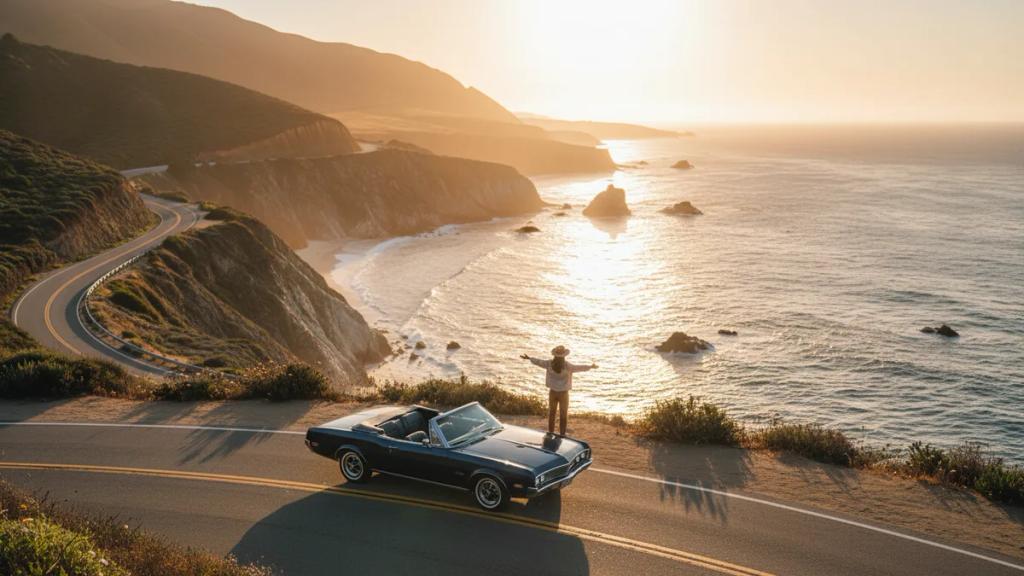
The Big Sur coast is the postcard section of the whole trip, and it is also the longest reliable dead zone. Between Carmel and San Simeon - roughly 90 miles of cliffs, hairpins, and ocean - service is patchy to nonexistent for long stretches. That is not an eSIM problem; it is the same for any US phone on any network.
The fix is simple and it is the single most important prep step for this drive: download offline maps before you leave the last town with signal. Google Maps and Apple Maps both let you save a region for offline use. GPS positioning works with no cell signal at all, so your blue dot and turn-by-turn directions keep running the entire way through Big Sur. Save the whole California coast the night before and you never think about it again.
Same rule applies to the redwoods further north. Under a canopy of 300-foot trees, signal disappears - so cache the park areas around Redwood National and Humboldt before you turn off US-101.
Data Planning for Navigation and Music
Two things eat data on a road trip: live navigation and audio streaming. Here is how they actually behave.
Navigation is lighter than people expect. Live Google Maps or Waze with traffic uses roughly 3 to 5 MB per hour of driving - a full day at the wheel is well under 100 MB. Offline maps use zero. So the map is never what drains your plan.
Music and podcasts are the real budget line. Streaming Spotify or Apple Music at standard quality runs around 40 to 70 MB per hour; a long driving day can be 300 to 500 MB just in audio. The smart move: download your playlists and podcast episodes over hotel Wi-Fi the night before, then stream only when you want something new. That one habit can cut your trip data use in half.
Use the calculator to size your plan against your actual driving days:
How Much Data for a One-Week Drive?
- Light (offline maps, downloaded music, some messaging and photo sharing): 3-5 GB for the week.
- Typical (live navigation, mixed streaming, social media, daily photo backup): 5-10 GB for the week.
- Heavy (constant streaming, hotspotting a laptop or a second phone, lots of video calls): 10-20 GB for the week.
If you are the designated navigator for a carful of people all sharing one hotspot, size up - a shared connection drains faster than a single phone. See our unlimited data eSIM for the USA breakdown if you would rather not count gigabytes at all, and note that most "unlimited" plans still carry fair-use throttling and hotspot caps, so read the fine print before assuming truly limitless data.
Why You Want Data on This Drive
The West Coast is easy to romanticize as an unplug-and-wander trip, but a few things genuinely need a live connection:
- Real-time traffic: LA and the Bay Area can turn a 40-minute hop into two hours. Waze reroutes save more time here than almost anywhere in the country.
- Timed park entries and campground bookings: Some California and Oregon parks use reservation systems and timed-entry windows that you confirm or adjust on your phone.
- Weather and road status: Highway 1 closes for landslides more often than you would think, and Cascade passes get weather holds. You want to know before you commit to a detour.
- Finding fuel and food: Gaps between gas stations on the North Coast and inland routes are real. Live search keeps a low tank from becoming a problem.
- Photo backup: This is one of the most photogenic drives on earth. Backing up to the cloud each night in the hotel means a lost or dropped phone never costs you the whole trip.
Flying In? Sort the eSIM Before You Land
Most West Coast road trips launch from Los Angeles, San Francisco, San Diego, Seattle, or Portland. If you are flying in from outside the US, install your eSIM at home so you are online the second you land, before you even reach the rental counter.
Landing at LAX specifically? Our LAX airport eSIM guide walks through connecting the moment you step off the jet bridge. Installation is a two-minute job over any Wi-Fi - our step-by-step activation guide covers iPhone and Android - and the eSIM stays dormant until you switch it on, so you can set it up days ahead of the flight.
If you are visiting from Europe, Australia, or Asia, the eSIM is where you save the most: international roaming in the US typically runs $10 to $15 per day on foreign carriers, which over a two-week road trip dwarfs the cost of a US plan. Keeping your home SIM active alongside it via dual SIM means your regular number still receives calls and texts, while the eSIM handles all the data.
eSIM vs Roaming vs Local SIM on the Road
eSIM vs Roaming vs Local SIM
Compare your options for United States
| eSIMpass | Roaming | Local SIM | |
|---|---|---|---|
| Setup time | Instant | None | 30-60 min |
| Cost per GB | ~$2-5 | $10-50+ | ~$3-8 |
| Surprise fees | None | Likely | Unlikely |
| Buy before trip | Yes | Yes | No |
| Keep your number | Yes | Yes | No |
| Speed | 4G/5G | 4G/5G | 4G/5G |
For a moving target like a road trip, the eSIM wins on convenience as much as price. A local SIM means finding a carrier store in a city, showing ID, and burning an afternoon of your trip - hard to justify when you are only in each town for a night. Carrier roaming works but costs several times more per GB, and the daily-fee models add up fast across a two-week drive. The eSIM is installed before you leave home and just works from the first mile.
How to Set Up Your Road-Trip eSIM
- Purchase: Choose your United States plan and check out.
- Receive: Your QR code arrives by email instantly.
- Scan: Open Settings, add the eSIM, and scan the QR code.
- Activate: Switch on data and select the eSIM as your data line.
- Cache maps: Download offline maps for the whole route before you drive - this is the step most people skip and regret in Big Sur.
Full walkthrough with screenshots is in our eSIM installation and activation guide.
Frequently Asked Questions
Will my eSIM work the whole way down the coast?
In the cities and along I-5, yes - solid 4G and 5G the entire way. On the scenic coastal legs, expect real dead zones through Big Sur, the redwoods, and remote mountain stretches. That is true on every US carrier. Download offline maps and those gaps become non-issues for navigation.
Which network does the eSIM use?
It connects to a major US network (such as T-Mobile or AT&T). It runs on a single host network rather than jumping between carriers, and that network's towers cover every city and highway a coastal road trip touches. Speeds are set by the local towers, so you get the same performance a US phone would in that spot.
How much data do I need for a week of driving?
Most road trippers land between 5 and 10 GB for a week if they download music and podcasts over hotel Wi-Fi and stream only occasionally. Live navigation itself is tiny - well under 100 MB a day - so audio streaming and photo backup are what really move the needle. See the full USA data breakdown for more.
Can I use the eSIM as a hotspot for the car?
Yes, tethering works, which is handy for a passenger's laptop or a second phone. Just watch the balance - a shared hotspot with a few people streaming drains data much faster than a single phone, so size your plan up if the whole car is sharing one connection.
Does navigation still work in the dead zones?
Yes, if you download offline maps first. GPS positioning works with no cell signal at all, so your position and turn-by-turn directions keep running through Big Sur, the redwoods, and every mountain pass. You only lose live traffic and search until signal returns.
Do I keep my home number while using the eSIM?
Yes. The eSIMpass US plan is data-only, so keep your home SIM active for calls and texts and set the eSIM as your data line via dual SIM. WhatsApp and other apps stay tied to your existing number - the eSIM just carries the data.
Ready to drive the coast without roaming bills?
Join 10,000+ travelers who chose eSIMpass. One US plan covers California, Oregon, and Washington. Instant QR delivery, no activation fee.
Get Your US Road-Trip eSIM